Most SEO traffic drops after a redesign aren't caused by a worse site — they're caused by a migration that skipped redirects, orphaned old URLs, or shipped without a pre-launch audit.
A redesign that launches on a Friday and loses 30% of organic traffic by the following Friday almost never fails because the new site is worse. It fails because nobody mapped every old URL to its new destination, nobody preserved the internal linking structure that told search engines which pages mattered, and nobody checked whether the new site could even be crawled properly before it went live. A website migration is one of the highest-risk moments in a site's SEO life, and nearly all of that risk is avoidable with a checklist executed in the right order, well before launch day.
Start With a Complete Inventory of the Existing Site
Before anything else, crawl and export every indexed URL on the current site, along with its current organic traffic, backlink count, and ranking keywords. This isn't a formality — it's the baseline that makes every later step possible. Pull this data from analytics, Search Console, and a full site crawler rather than relying on the sitemap alone, because a surprising number of pages that rank and receive traffic are often missing from an outdated sitemap. Every URL on this list needs an accounted-for destination on the new site before launch; without this inventory, "accounted for" is impossible to verify and pages simply vanish silently.
Build a Complete 1:1 Redirect Map, Not a Generic Fallback
The single most common migration failure is redirecting everything to the homepage, or worse, letting old URLs 404 with no redirect at all. Every URL from the inventory above needs a specific 301 redirect to its most relevant equivalent on the new site — not a category page, not the homepage, the actual closest match. A generic redirect-everything-to-homepage approach preserves almost none of the accumulated ranking signal that page had built up, because search engines treat a mismatched redirect target with real skepticism about whether the redirect is legitimate. Where a page genuinely has no equivalent on the new site — a discontinued product, an old blog post that's been merged into a newer one — redirect it to the most topically relevant page that does exist, and only let it 404 if there's truly nothing relevant, since 404s on previously-indexed, previously-linked pages are a real (if smaller) loss compared to a properly redirected one.
Preserve URL Structure Wherever Possible
If a redesign doesn't strictly require changing the URL structure, don't change it. Every unnecessary URL change is one more link in the redirect chain, one more opportunity for a mapping error, and one more reason external sites linking to the old URLs never quite pass full value through to the new ones even with a correct redirect. Genuine reasons to change URL structure — moving to a cleaner taxonomy, fixing a structure that never made sense, consolidating a fragmented site — are legitimate, but "the new template happens to generate different URLs" is not a good enough reason on its own, and it's worth pushing back on a redesign plan that changes URLs purely as an unplanned side effect of a new CMS or template rather than a deliberate decision.
Audit and Rebuild Internal Linking Before Launch
Internal links are one of the strongest signals a site sends about which pages matter, and a redesign frequently breaks this structure invisibly — a new template might drop the contextual links that used to appear in a sidebar, a new navigation might bury pages that used to be one click from the homepage, or a content migration might lose the in-body links between related articles entirely. Before launch, verify that every important page is still reachable within a reasonable number of clicks from the homepage, that contextual internal links between related content survived the migration, and that the new navigation and footer don't accidentally deprioritize pages that previously carried meaningful traffic or backlink equity.
Preserve or Properly Migrate On-Page SEO Elements
Title tags, meta descriptions, header structure, and image alt text are easy to lose in a template overhaul because they live in content fields that don't always map cleanly between an old CMS and a new one. Before launch, export the full set of these elements from the old site and verify — not assume — that they've carried over correctly on every migrated page, including canonical tags and any existing schema markup. It's common for a new CMS's default templates to silently override custom meta titles with an auto-generated pattern, which nobody notices until a batch of pages that used to have carefully-written, keyword-relevant titles are all serving the generic site-wide default instead.
Handle XML Sitemaps and Robots.txt Deliberately
Generate a new XML sitemap that reflects the actual final URL structure, submit it in Search Console immediately at launch, and don't leave the old sitemap live and conflicting with it. Just as important: audit the new site's robots.txt file specifically for staging-environment leftovers — a Disallow: / left over from the development environment, shipped accidentally to production, is one of the most common and most damaging migration mistakes, because it can silently block search engines from the entire site while everything otherwise looks fine to a human visitor.
Test Crawlability and Rendering Before Going Live
Run the new site through a crawler on the staging environment exactly as a search engine would encounter it, checking specifically for broken internal links, redirect chains longer than one hop, pages accidentally set to noindex, duplicate content from URL parameter variations, and JavaScript-rendered content that isn't actually visible to a crawler that doesn't fully execute client-side scripts. This step is where a development team's understanding of how the new site actually renders matters — a visually perfect redesign can still be functionally invisible to search engines if critical content only appears after client-side JavaScript executes and the crawler doesn't wait for it.
Time the Launch and Monitor Immediately Afterward
Launch when the team can actively monitor for the following 48 to 72 hours, not on a Friday afternoon before a weekend when nobody's watching. Immediately after launch: submit the new sitemap, request re-indexing of the most important pages in Search Console, and monitor crawl stats, index coverage reports, and server logs for a spike in 404s or redirect errors that would indicate a gap in the redirect map. Set explicit alert thresholds for organic traffic and ranking positions on the highest-value pages so a real problem is caught within days, not discovered a month later when someone finally asks why leads have dropped.
Account for the Specific Risks of Changing Platforms
A migration that also changes the underlying CMS or hosting platform — moving from a page builder to a custom-built site, or between two different content management systems — carries risks beyond a typical redesign, because the underlying HTML structure, URL generation logic, and rendering behavior can all change simultaneously. It's worth explicitly verifying, on the new platform, that canonical tags are generated correctly by default rather than pointing to unintended duplicate variations, that pagination and category pages don't create thin or duplicate content the old platform handled differently, and that any content previously rendered server-side isn't now dependent on client-side JavaScript in a way that changes how crawlers see it. Platform migrations are also the moment historical URL patterns are most likely to break in bulk rather than one at a time, which is exactly why the complete redirect map matters more here than in a simpler visual refresh on the same underlying platform.
Expect a Temporary Dip, and Communicate It Before Launch
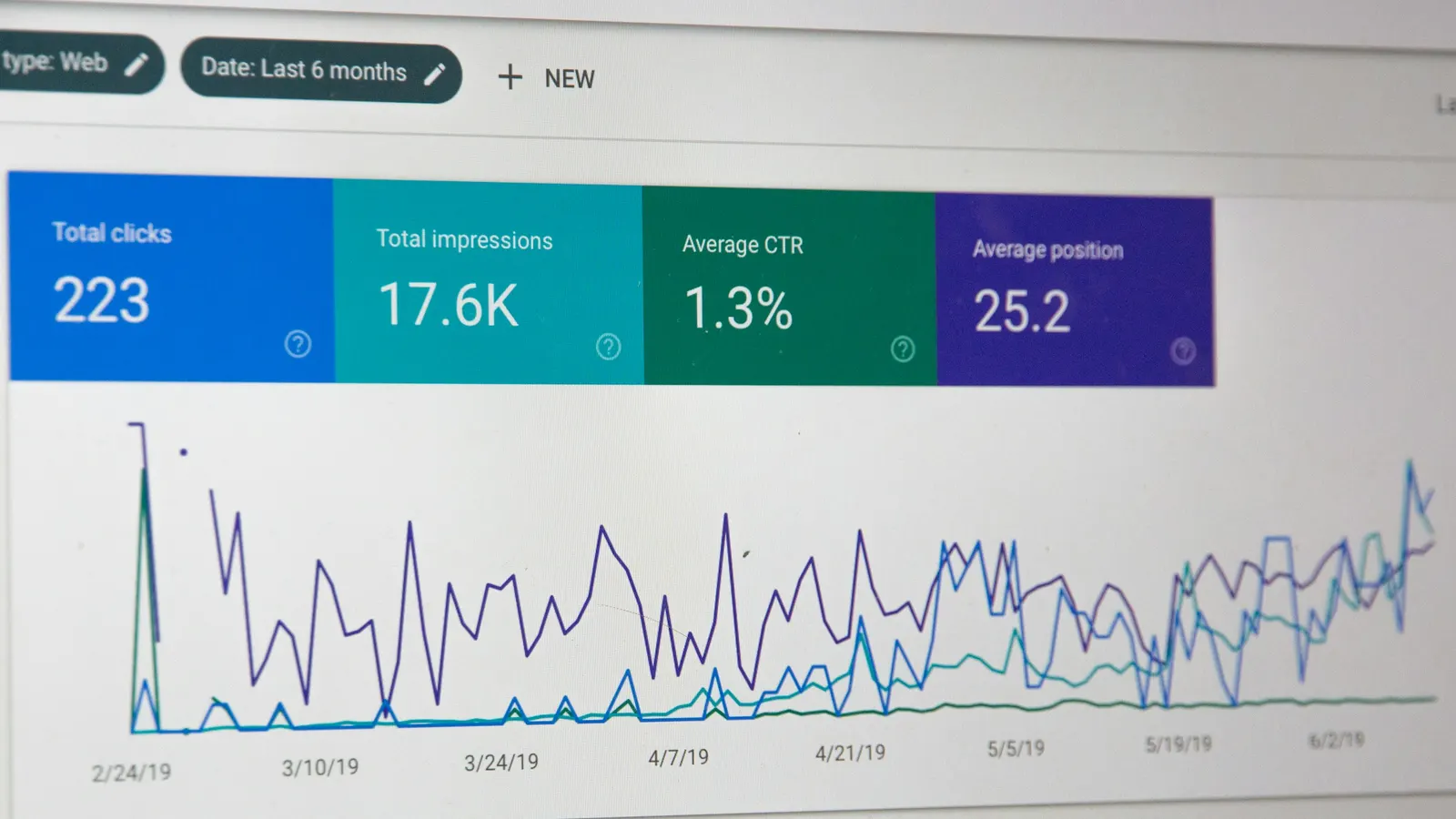
Even a well-executed migration typically produces a short-term dip in rankings and traffic while search engines re-crawl and re-evaluate the new site — this is normal, and usually resolves within two to six weeks for a well-executed migration, longer for a larger site. The goal of everything above isn't to prevent any dip whatsoever; it's to prevent the dip from becoming a permanent loss because of an avoidable mapping or technical error.
The risk here is technical, but the fallout from an unexpected traffic dip is usually organizational — a sales or leadership team seeing a traffic graph drop without context tends to assume something went wrong, even when the dip is the normal, expected result of a well-executed migration. Sharing the migration plan, the redirect strategy, and the expected dip-and-recovery timeline with stakeholders before launch — not after someone notices the graph — avoids a scramble to explain a normal pattern under pressure, and prevents a nervous mid-recovery decision to make further unplanned changes that can genuinely extend the disruption. This is a communication step, not a technical one, but skipping it is one of the more common reasons a technically sound migration still ends up feeling like a crisis internally.
Keep a Single Owner Accountable for the Whole Checklist
Migration SEO failures often happen not because nobody knew the right steps, but because responsibility for them was split across a design team, a development team, and a marketing team, each assuming someone else was handling redirects, meta data, or crawl testing. Naming a single person — often whoever owns organic performance day to day — as directly accountable for confirming every item on this checklist before launch, with explicit sign-off required rather than an assumed "someone's got it," closes the gap where genuinely competent teams still ship a migration with a missing redirect map simply because it fell between two departments' areas of ownership.
Do a Post-Launch Reconciliation, Not Just a Pre-Launch Checklist
Two to four weeks after launch, reconcile the original URL inventory against actual crawl and index data from the new site: which old URLs are properly redirecting and being re-indexed, which are still returning errors, and which rankings haven't recovered to their pre-migration baseline. This reconciliation step catches the redirect-mapping errors that only become visible once real crawl data comes back, and it's the difference between a migration that quietly leaks 10-15% of organic value indefinitely and one where every gap gets caught and fixed within a month of launch.
A redesign is, correctly done, an opportunity to fix years of accumulated technical debt, improve site speed, and modernize a user experience that's been quietly costing conversions — none of that has to come at the cost of organic rankings. The businesses that lose significant traffic in a migration are almost always the ones that treated SEO as a concern to address after launch rather than a checklist to work through, in the order above, before the new site ever goes live.